Context
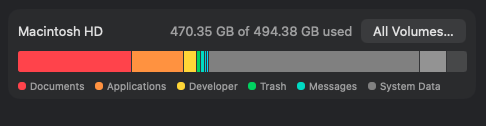
I bought the Mac mini M4 Pro with the base 512GB SSD last year. The plan was always to avoid paying the Apple storage upgrade pricing, which was too costly for me and did not make sense for how I wanted to use the machine in the long term. After a year of heavy daily use, my internal drive was finally filling up: 470.35GB of 494.38GB used. I needed a storage solution and had to get it urgently.
Why External Storage
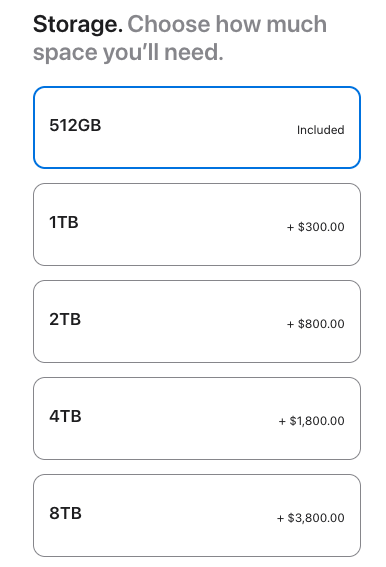
On the configuration page of the Mac Mini on Apple’s site, 2TB is +$800 and 4TB is +$1,800 over the included 512GB. For context, the 4TB costs more than I spent on my Mac Mini M4 Pro. It made sense to stick with the base storage and plan for a fast external SSD instead. Plus I can have several of these for many different solutions/contexts/needs as well, which is a bonus.
Another reason I wanted this option is so that I can use it on my iPad M4 Pro as well, the convenience of being able to unplug my storage from one device and plugging it into another was just awesome.
SSD Price Context
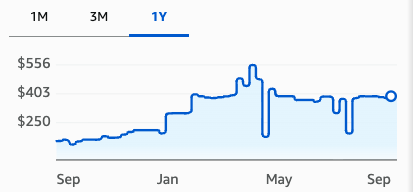
I regret not buying the SSD earlier, especially the moment I got my Mac Mini a year ago. SSDs have generally become more expensive since then (technically before then). In late 2023, the Samsung 990 PRO 2TB was around $150, with some sales lower than that. The one-year chart below shows it moving from under the $250 line before January to mostly around $400 this year, with spikes over $500. I got mine this month and I paid about $380 for it.
Other Options
There were many ways to solve external storage for a Mac mini and there were so many options and combinations to choose from, from docks, SSDs to enclosures. The one that really stood out to me was the Satechi Mac Mini M4 Stand & Hub with SSD Enclosure because it is clean and adds front-facing ports, and actually feels like a product made by Apple. It blends really well with the Mac Mini for sure.
However, in the end, the main issue for me was speed. Satechi lists the built-in NVMe enclosure as up to 10Gbps, and I did not really need the extra ports. So on paper this would be about 1,000 MB/s, so with the 990 Pro SSD, I’d be leaving a lot of speed on the table. What truly mattered for me is making sure I got the best speed that I could and that’s why I went with a separate USB4 enclosure.
What I Bought
Parts And Cost
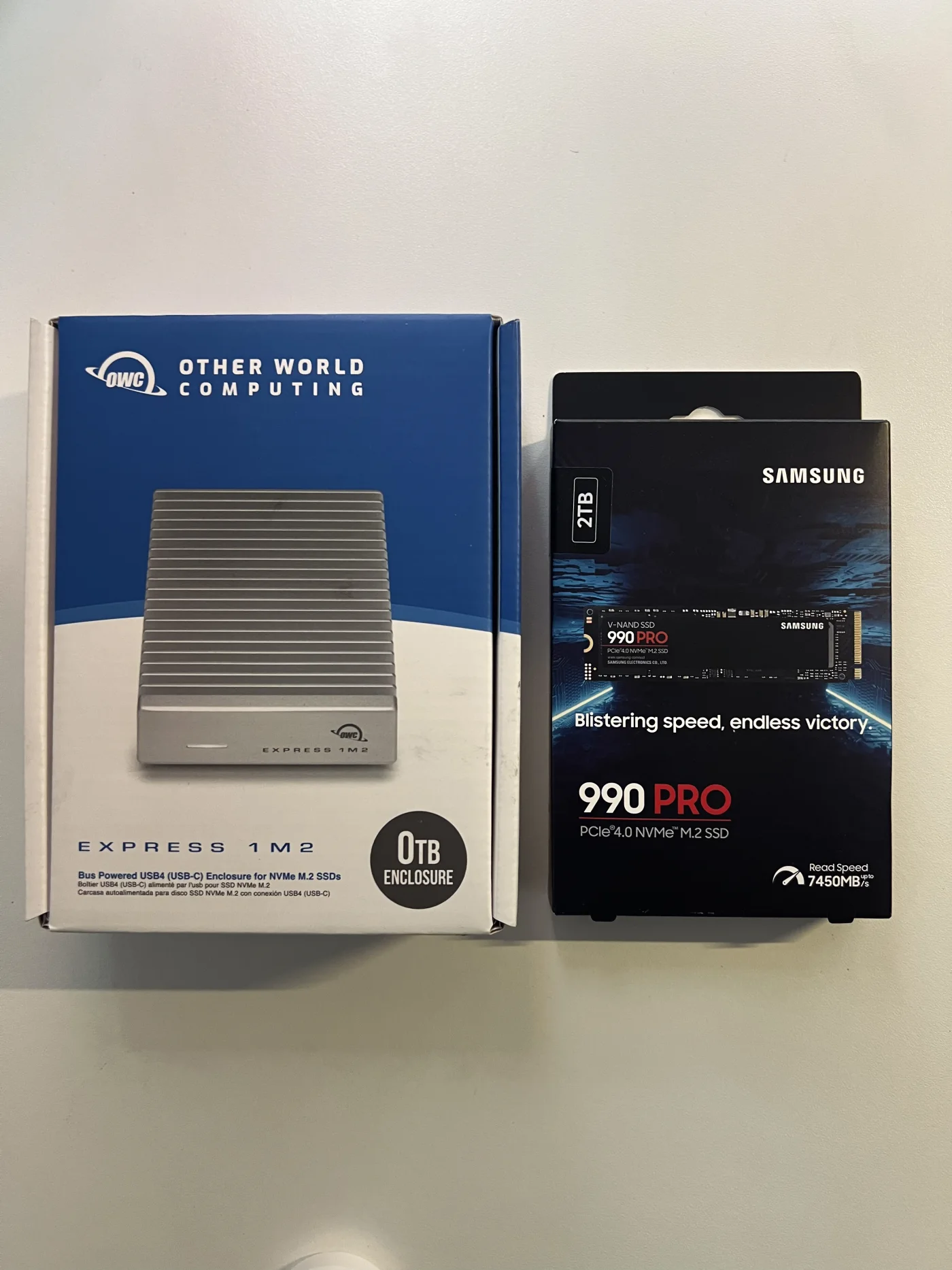
- OWC Express 1M2 USB4 NVMe enclosure, about $88
- Samsung 990 PRO 2TB PCIe 4.0 NVMe SSD, about $380
So about $470 total for 2TB of fast external storage. Not cheap, but still much better than adding storage through Apple.
Use Case
I needed this to run some docker containers from, some heavy apps I use on a day to day, backing up AI model weights and maybe some heavy video and photo editing. I also had a SanDisk SSD around, but it was too slow for most if not all of these use cases (I’ll show the difference using benchmarks at the end).
Installing the SSD
Install Steps
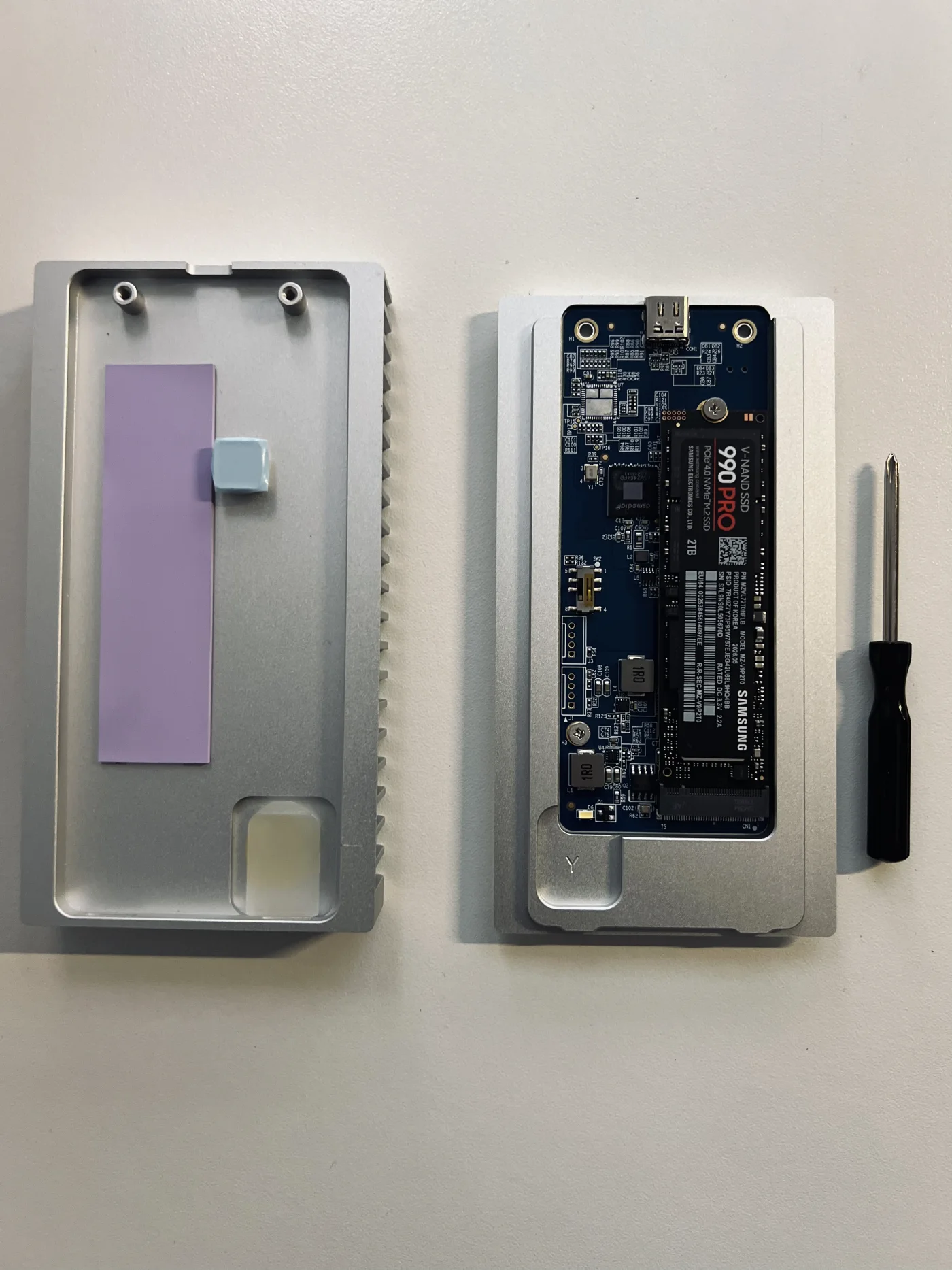
- Open the OWC Express 1M2 enclosure.
- Slot the Samsung 990 PRO into the M.2 connector.
- Secure it with the included screw.
- Make sure the thermal pads line up.
- Close the enclosure.
- Plug it into the Mac mini over USB-C.
Formatting
After that, I used Disk Utility to erase the drive and format it as encrypted APFS. If you want a guide for this, Apple has a solid one that you can find here.
Benchmarks
OWC Benchmark
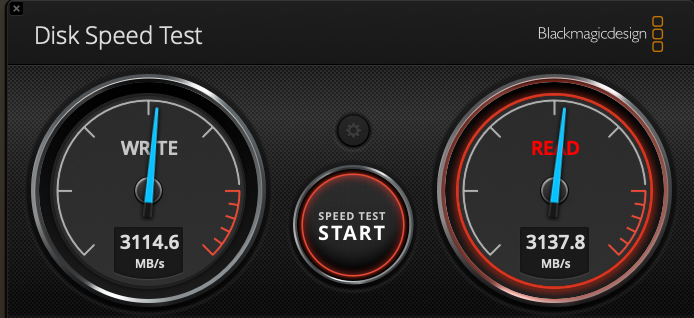
The OWC/Samsung setup came in at 3114.6 MB/s write and 3137.8 MB/s read in Blackmagic Disk Speed Test.
SanDisk Benchmark
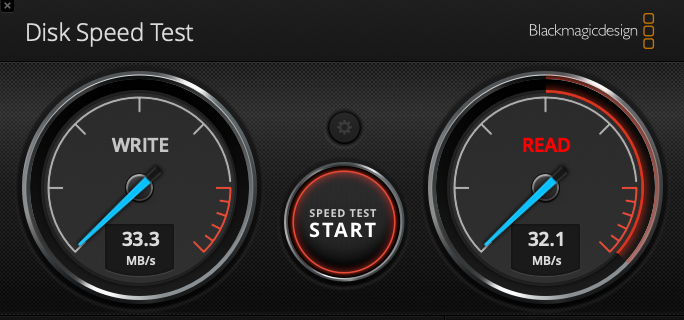
The SanDisk drive I was using instead tested at 33.3 MB/s write and 32.1 MB/s read. My new solution is almost 100 times faster, this will be an amazing quality of life improvement for the next few months for sure.
Benchmark Takeaway
That difference is basically the whole point of this setup. It is not the same as upgrading the internal Apple SSD, but it is fast enough for what I truly need it for.
Conclusion
This feels like the right balance for me. The internal 512GB drive can stay mostly for macOS, applications, and the things that need to live on the machine. The external SSD can carry containers, working data, model weights, and anything else that grows over time. I’ll update this article on the reliability of these two products.